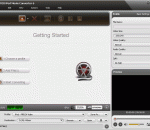
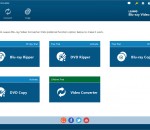
Tipard DVD to MP4 Converter can convert DVD movie to MP4 format including HD MP4 H.264 formats without any loss. Meanwhile, it is able to extract audios from DVD and convert them to your needed format like MP3, AC2, FLAC, etc. After conversion, you are able to enjoy converted video/audio on iPhone 6s, iPhone 6s Plus, iPad Air 2, iPad mini 4/3, Samsung Galaxy series, HTC and more. Besides, it provides you with powerful editing functions.
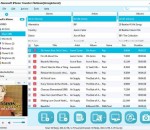
Aiseesoft iPhone Transfer Platinum can help you transfer local music, videos, ePub, PDF and images to iPhone, and export all iPhone files(music, movie, picture, TV show, Podcast, iTunes U, eBook, camera roll, ringtone, SMS(MMS), Contact, voice memos, camera shot) to PC. Also it allowss you to convert incompatible video or audio files to iPhone, even make iPhone Ringtone. Besides, it supports iOS 7 and iPhone 5s/5c, iPad Air, iPad mini 2, etc
Weeny Free Video Converter is a free video converter software to convert video files between many formats with ease. It can convert video files from 3gp, asf, avi, flv, mp4, mpg, rm, rmvb, vob, wmv and more into 3gp, avi, flv, mp4, mpg or wmv files. The output video files can be used on popular multimedia devices such as iPad, iPod, PSP, iPhone, MP4 player, mobile phone, Zune, etc.
Xilisoft iPhone Magic Platinum enables you to backup all multimedia files in iPhone to computer or iTunes, move files from computer to iPhone, convert DVD movie, common video and audio files with no requirement for installing any other decrypter or decoder software, download exciting online videos from top online videos websites, extract audios to make personalized iPhone ringtones from audio/video files and etc.
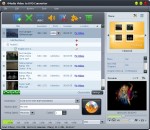
4Media DVD Ripper Ultimate rips a DVD to any video/audio formats with fast speeds for enjoying on different digital devices. You can also merge, crop, clip, split, edit image effects and add subtitles/soundtracks/watermarks to edit output files.
Tipard iPod + iPhone PC Suite is the all-round iPod iPhone software to transfer iPod/iPhone files to PC, PC to iPod/iPhone and make iPhone ringtone. This iPod/iPhone software includes iPod Transfer Pro and iPhone ringtone Maker. You can import files to iPod/iPhone and backup iPod/iPhone files to PC and create iPhone M4R ringtone with it. Plus, it added iPhone 4S profile to highly supports iPhone 4S, and the newest iOS 5.1 and iTunes 10.6 now.
Aneesoft Free ZEN Video Converter is an easy-to-use and totally free Creative ZEN video converter that can convert all popular video formats like AVI, MPG(MPEG), WMV, MP4, MOV, VOB, FLV, ASF, RM, RMVB, 3GP, 3G2, etc to Creative ZEN MP4/WMV/AVI video formats for ZEN Vision W, ZEN Vision M, ZEN, ZEN Vision.
Xilisoft DivX Converter helps convert a variety of video formats including AVI, MKV, WMV, MP4, MOV, etc. to DivX, XviD, WMV, AVI, MOV, MP4, MPEG4/H.264, 3GP. Plus, you can extract M4A or MP3 audio files from any of the videos. Equipped with a full range of editing features such as splitting the video, setting multiple output formats for a single source, extracting segments, and customizing output file size to give you the perfect video.
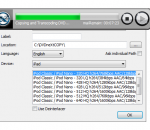
Free iPod Video Converter is a professional iPod video conversion program for converting all of videos into iPod with fast converting speed and easily.With Free iPod Video Converter Factory, you can play any video on your iPod. It provides an easy and completed solution to convert all fashionable videos to iPod.With powerful and easy to use functions, Free iPod Video Converter Factory make the tasks of converting video to iPod video.
Tipard iPod Video Converter converts all video and audio formats, and HD videos to iPod/iPhone/Apple TV, it is also easy to convert any popular audio file or extract audio from videos to iPod/iPhone MP3, AAC, AIFF, M4A, WAV. Plus, this iPod Video Converter provideo English/French/German/Japanese four interface languages. And, it highly supports iPhone 5, iPod Touch 5, iPod Nano 7, iPad mini, iPad 4, Microsoft Surface and Samsung Galaxy Note now.
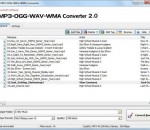
Convert wma to mp3 with Switch audio file format converter for Windows. It can convert mp3, wav or wma format and more to the format of your choice. Switch Converter is very easy to use. Just add the files you want to convert to the list, select the format you want to use, and then click the convert button. Automatically normalize audio while converting. Access online database to add song information as you convert.