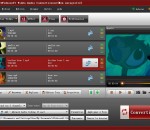
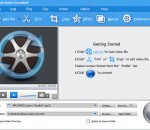
4Videosoft Video to Audio Converter is an easy-to-use video to audio converter associated with powerful functions. It can convert between all the audio formats like AAC, AC3, AIFF, AMR, AU, FLAC, MP3, M4A, MP2, OGG, WAV, WMA as the powerful audio converter.The most important thing is that it can extract audio from video and convert to the mainstream audio formats, such as convert MP4 to MP3.
FSS Video Converter is a free and powerful tool that allows convert all popular video formats, including HD video. Converter provides you optimized output profiles, you can easily convert video for PC, digital devices and websites.
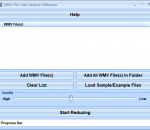
This software offers a solution to users who want to reduce the file size of one or more WMV files. The user simply adds the required files or an entire folder before choosing the reduction level, using the slider, and starting the reduction. With this time saving software, the file size of large numbers of files can be changed with just one click.
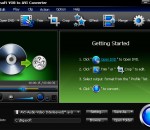
Devoted to DVD converting career, Bigasoft VOB to AVI Converter is especially designed to convert DVD Movie to AVI, MPEG (MPEG-1, MPEG-2) or MPG with super high converting speed and quality. Besides, the powerful VOB to AVI software can also convert DVD movie to MP3, WMA, and WAV audio formats. DVD fans can enjoy favorite DVD movies on most popular players including Xbox, Xbox 360, Archos, Creative Zen, iRiver, PSP, PS3, and Wii.
Aiseesoft iPhone 4 Ringtone Maker is able to help you convert popular video/audio files to iPhone 4 M4R ringtone, then transfer it to iPhone 4 directly. Also it allows you to export the iPhone 4 ringtones to computer, iTunes and other iPhone devices. Moreover, this software is highly compatible with the iPhone 4S, iOS 5 and iTunes 10.5.1.42 after upgraded.
It can batch convert video files including WTV, DVR-MS, WMV, ASF, AVI, DV, DivX, Xvid, MKV, FLV, F4V, SWF, MXF, MVI, OGM, WebM, VP8, OGV, 3GP, MP4, MPG, MPEG-1, MPEG-2, MPEG-4, H.264, RM, RMVB, MOV, VOB, AVCHD, MTS, M2TS, TS, TOD, MOD, Apple ProRes, Fraps video, BIK, H.265, HEVC, etc. It can convert video and audio files to audio MP3, AAC, WAV, WMA, Apple Lossless ALAC M4A, AC3, DTS, FLAC, OGG, Opus, MP2, AIFF, AU, WV, RA etc
WinX iPad Video Converter is an easy-to-use iPad video converter, which allows you to convert videos to iPad Air, iPad mini retina, iPad mini, iPad 4, Apple TV (3), etc. This iPad video converter supports converting HD/SD videos including AVI, FLV, MPEG, WMV, M2TS, AVCHD, MPEG-TS, RM and MKV as input. Besides, this iPad video converter brings you up to 15x real time fast video converting speed and unmatchable output quality.
FLAC APE Converter enables you convert FLAC to APE Audio. FLAC stands for Free Lossless Audio Codec, an audio format similar to APE, but lossless, meaning that audio is compressed in FLAC without any loss in quality. Now you can enjoy the versatile audios on your APE Player wherever and whenever. Simple settings, high speed, and friendly interface.
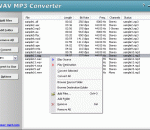
WAV MP3 Converter converts WAV to MP3 and MP3 to WAV, and resamples WAV and MP3 files. It is an ALL IN ONE audio converter that supports more than 150 audio and video files, and keeps ID3 tag when converting. The converter also supports batch conversion. It supports 3GP, SWF, AAC, AIFF, AMR, AVI, CDA, VOB, DVD, FLV, FLAC, MKV, APE, MIDI, KAR, MP3, MPEG, MP2, M4A, M4B, MP4, M4V, OGG, MOV, QT, RA, RAM, RM, RMVB, DAT, WAV, WMA, ASF, WMV, and so on.
Extract audio from video and convert video to audio format. Convert audio files like OPUS, Vorbis, AAC, AC3, DTS, ALAC, OGG, OGA, MP3, WAV, FLAC, WMA, XWM, 3GA, M4A, M4B, MKA, RA, RAM, APE, AU, AUD, AIFF, AIFC, CAF, MPC, QCP, VOC, VOX, GSM, DSS, etc. Directly play video and audio. Edit audio like remove, decrease,increase audio volume; change audio channel 5.1, stereo, mono, merge audio files into one, split audio, compress audio file size etc.
With Aiseesoft PPT to Video Converter, you could convert downloaded or local PPT files to various video formats, such as WMV, MP4, AVI, MOV, etc. It also has powerful settings function, with this you could choose the resolution of the converted video. It also makes it possible to burn the PPT files to DVD disc or ISO files. It enables you to choose the Auto Mode or Advanced Mode according to your demand.