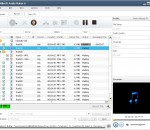
i-Sound is a direct audio recorder for Windows 7 and Windows 10. You can record sound from internal or external source into popular audio formats directly without costing any other disk space. "Stereo Mix" input no longer required. i-Sound Recorder have simple and intuitive interface. Sound quality of the recordings remains excellent.
Design Sound Forge Pro editing environments to maximize your productivity. Create and save multiple interface layout configurations for single- and dual-monitor systems. Easily recall a window layout for specific editing tasks including audio editing, CD layout, multichannel file editing, and more.
Streaming Audio Recorder has made any music download or audio recording problem extremely simple now. It can capture every part of streaming audio playing on computer's sound card and voice or sound through microphone exactly. If you want to copy streaming audio for playback offline, you only need to hit buttons on its screen rightly.
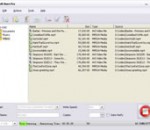
ImTOO ISO Burner is an easy-to-use ISO burning program with intuitive interface. And it can burn ISO file to CD-R, CD-RW, DVD-R, DVD+R, DVD-RW, DVD+RW and DVD+R DL. With the burning software, you can choose the write speed and it will verify written data after burning process to ensure the usability of the disc content. The ISO file can be data CD/DVD image, bootable CD/DVD image, media CD/DVD image, and so on.
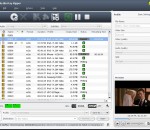
ImTOO AVI to DVD Converter is a fast AVI to DVD burning software tool which helps you convert AVI, MPEG, DAT, M2V, VOB to DVD that is playable on home DVD player, and burn these videos to DVD disc, DVD folder or ISO file. It also provides you with many DVD authoring features to create a distinctive DVD menu, clip video file freely, adjust video effect, add subtitles and audio tracks, etc.
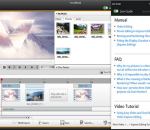
ImTOO Photo Slideshow Maker can make amazing photo slideshows from your photo collections in easiest steps. Import your photo collections with any image format of jpg, jpeg, png, gif, bmp, tiff, xbm or xpm, arrange the display sequence and insert audios as background music and export to videos in format of AVI, MPEG, WMV, DivX, MP4, H.264/AVC, AVCHD, MKV, RM, MOV, XviD or 3GP, then you can enjoy these vivid photo slideshows in great joy!
Xilisoft Photo DVD Maker offers the best solution to convert your entire photo collection to DVD movies, burn them onto DVDs, and view them from your DVD players. With Xilisoft Photo DVD Maker, making a DVD from your photos couldn’t be easier: drag and drop your photos to the application, insert a blank DVD, then simply hit the “Burn†button! Xilisoft Photo DVD Maker can also create ISO files and DVD folders for your photos.
4Media Blu-ray to DVD Converter-a combination package including Blu-ray Ripper and DVD Creator. This all-inclusive tool can handle all your need on converting Blu-ray movies to various video/audio files, converting diverse video formats to DVD discs, creating DVD folder or ISO files from your video collections to make your movie collections playable no next generation consoles and all kinds of Blu-ray DVD/common DVD players.
Free Audio Recorder is a handy tool to record sound from both computer and microphone. Supports various audio sources, streaming music, in-game sound, Skype, voice chat, etc. Easy to use with simple "Record", "Pause" and "Stop" buttons, and high quality output result which can playback on any music player or portable devices. This software also contains powerful auto recording feature and other useful settings to help you make recording schedule.
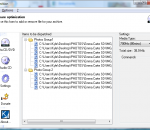
Ignition is a CD/DVD burning optimizer. It helps you saving space on your media by optimizing the way files are placed on the CDs/DVDs of your set. For example if your backup fits on 3-4 CDs, a manual files organazation might lead on a 4th with only 10 Mb of data when a better organization would have only required 3 CDs. Thanks to Ignition, you'll save medias, time and money.
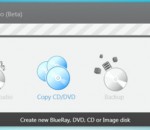
Burn your discs quickly and easily with AVS Disc Creator. Copy personal home audio in the original quality. Write your data onto Blu-ray (BD-R, BD-RE) discs. Create boot CD/DVD discs. Create an image of your personal video and save it on PC. Or make an ISO image directly from a disc or HDD. All major media are supported: DVD+/-R, DVD+/-RW, DVD-RAM, Double/Dual Layer DVD, etc.