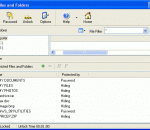
Hide, lock and protect your local, network, Floppy and USB drives, and disable the AutoRun feature for them. Control access to your drives by clicking on the checkboxes located within the group boxes representing them. Disable the AutoRun feature based on drive types to disable, for instance, only all USB drives, regardless of the drive letters that can be associated with them. The program lets you protect itself from an unauthorized access.
The World's fastest VPN for Privacy & Security. VPN for Online security & privacy for Windows, Mac, iOS Android & routers, 60+ countries 390+ fastest VPN servers
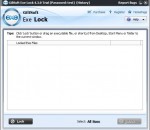
ECS Safe Lock is a handy utility that you can use to create a protected environment and put inside it all the files and folders you want to have secured. The privacy of your documents is ensured at all times, as soon as you press 'Lock' in the vault's main area. You will have to remember and keep well the password after changing the default one because there is no other way of accessing the items inside the safe.
Free Tool to Block or Unblock any Windows Application
WinLock is a comprehensive security solution for personal or publicly accessible computers. It is a program that ensures that only authorized people can access sensitive information on your computer. With WinLock, you can control how long others can use your computer, disable Windows hot keys (such as Alt-Ctrl-Del, Alt-Tab, Ctrl-Esc, etc.), lock Windows desktop, hide the Start button, lock files and folders, filter Internet content and much more.
Free Tool to quickly Block or Unblock Twitter on Windows
With this simple utility you can view passwords in Chrome without using the browser settings. The program will be especially useful for novice PC users, who find it difficult to find passwords in Google Chrome. Specialists will also appreciate the advantages of this software because of its convenience and very high speed of operation.
Now you have the opportunity to erase and clean your files from your hard drive, usb memory card, or any other memory device without being able to bring them back to life ever again. This application takes your files and overwrites them with random data at least 35 times by default, before being deleted, to make sure they never see the light of day.
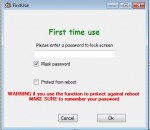
ScreenBlur will offer you the possibility to safely secure your desktop with a selected password. The user interface is clean and surely appeals even to less experienced users. ScreenBlur is able to lock your screen by setting up a password. It is possible to make the app show the characters of your password, as well as remember it.
WebAllow turns your browser into a kiosk type software. WebAllow integrates with Internet Explorer and allows to block all but approved URLs to be visited on the PC. Block questionable content from your kids eyes! Only allow a set of selected domain names to be viewed in Internet Explorer. Block adult sites, violent material, objectable content or anything you want to block on a PC. Blocked web pages are not even downloaded on to your computer.
WinGuard locks your Desktop programs and Store apps using password protection. It does this by scanning for programs you add to its blacklist. If a match is found, WinGuard stops the application and displays a password prompt. Lock any app with password; Lock Software Installations; Lock MS Internet Explorer; Lock Windows File Explorer; Lock Program Installers; Hide Drive C or All your Drives; Lock All Administrator Tools; No cost to you.