Leawo SWF Encrypt is a professional SWF Protector designed to protect Flash SWF files from being decompiled by SWF decompilers or Flash Decompiler tools. With Advanced Obfuscation Techniques and proven Encryption Technology, Leawo SWF Encrypt could act as an ActionScript Obfuscator to obfuscate the ActionScript of your SWF flash files so as to secure and protect SWF ActionScript files, and prevent from SWF Reverse Engineering and Decompiling.
Can you keep all passwords and access data in your mind? The abylon KEYSAFE is a simply password manager to administrate all your secret passwords. You need only one MASTER-password or alternatively a removable media, CD, chip card or certificate as key. The stored data can pull simply with the mouse into the input fields of your browsers or program window (Drag&Drop). With abylon KEYGENERATOR the software also offer a random password generator.
Automation Solution based on vehicle license plate recognition technology (ANPR). Software reads vehicle license plate from video stream. Ideal for access control and pass control solutions. Additional included features: Black list module, Barrier control module.
GiliSoft USB Stick Encryption is especially designed to create password protected USB memory sticks. It creates protected areas on the disk that is needed to enter password to see contents. Data on the protected areas are encypted by 256-bit AES on-the-fly encryption. Protected USB stick is fully autonomous and does not need any special software installed on computer.
RoboForm2Go for USB flash drives securely stores your passwords so you never need to type them again. It automatically logs you into online accounts and completes registration and checkout forms with one click. All new Version 7 supports Chrome and Safari browsers. RoboForm2Go runs directly from USB flash drives giving your data complete security and portability. RoboForm is PC Magazine's Editor's Choice and CNET's "Best Software of the Year."
PC Keylogger Pro is the most advanced and stealth keylogger application that will secretly record all computer activities (visited websites, passwords, all the keystrokes, screenshots, emails sent and received, messenger/chat conversations etc.). PC Keylogger Pro allows you to remotely view the logs/reports uploaded on your secured online account. See more at www.pckeylogger.com
Easy Folder Guard is a powerful application aiming to settle the problem of folder encryption and protection. It can quickly, simply and securely protect folders with various methods - password protect a folder, hide a folder and disguise a folder. In addition, it also provides some enhanced features to comprehensively protect the data on your computer, such as disk protection, unable use of USB devices and read-only use of USB devices and more.
File Monster completely erases files from your system -- actually overwriting the information in the file so it can not be recovered. The reason information is still available when you delete files with normal deletion methods is because normal deletion methods only tell the operating system to not recognize the file as being present anymore, yet the information hasn't really been erased.
PDF Page Lock enables users to lock or hide selected pages of a PDF document with a password encryption. With PDF Page Lock, users could hide or lock selected pages of a PDF file while leaving all other pages available.
Toms AD Object Recovery is a free Windows utility for querying your Active Directory for deleted computer, user, group, or other objects and restore them on-the-fly. SUPPORTED OBJECTS: * Computer Objects * User Objects * Group Objects * Organizational Units * Print Queues * Full volume Encryption Objects (BitLocker Recovery Keys) No domain controller downtime - Restore object attributes - Highlighted Search
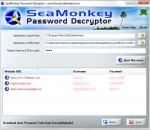
This is a very simple and fast program will help users to perform a Chrome password recovery. It is well known that the browser Google Chrome can save usernames and passwords for different sites. The user can view them in your browser settings if some computer skills. But very often novice PC users are asking how to view saved passwords Chrome exactly where to look for them?